Interactive Shell Extension for Yii 2
This extension provides an interactive shell for [Yii framework 2.0](https://www.yiiframework.com) based on [psysh](https://psysh.org/).
For license information check the [LICENSE](LICENSE.md)-file.
[](https://packagist.org/packages/yiisoft/yii2-shell)
[](https://packagist.org/packages/yiisoft/yii2-shell)
Installation
------------
The preferred way to install this extension is through [composer](https://getcomposer.org/download/).
Either run
composer require yiisoft/yii2-shell
or add
```json
"yiisoft/yii2-shell": "~2.0.0"
```
to the `require` section of your composer.json.
Usage
-----
After installation, you will be able to run the interactive shell via command line:
```
# Change path to your application's root directory
cd path/to/myapp
# Start the interactive shell
./yii shell
```
You can access the application object using `Yii::$app`. Additionally you have access to all your and your dependencies' classes.
See [psysh's website](https://psysh.org/#features) for a list of available features.
Configuration
-------------
You can configure the PsySH shell by setting options via the `shellConfig` variable in the controller, i.e. add this to your console application configuration:
```
'controllerMap' => [
'shell' => [
'shellConfig' => [
'updateCheck' => 'weekly',
'verbosity' => \Psy\Configuration::VERBOSITY_VERBOSE,
],
],
],
```
See https://github.com/bobthecow/psysh/wiki/Config-options for a list of PsySH configurable options.
**Note**: `updateCheck` is explictly set to _never_ by yii2-shell. All other PsySH options use default values.
Screenshot
----------
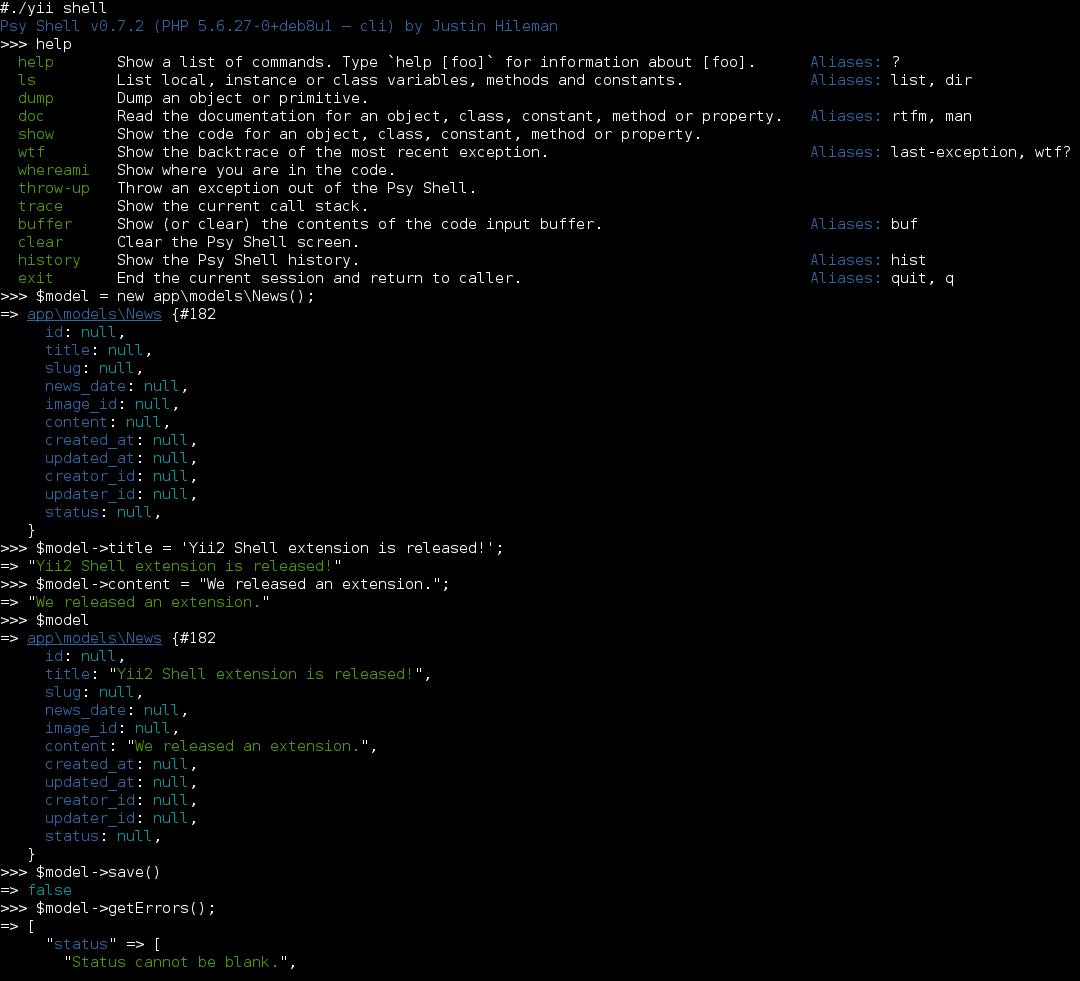
The following screenshot shows a usage example: